There are a few programs I use on an almost daily basis as an artist and illustrator which I find invaluable, but that seem to be unfortunately more secret than they deserve to be. Which is too bad, because they solve a lot of small workflow problems that I think a number of people would find useful!
I’ll keep this list limited to my big three, but it is organized in order of usefulness. (And incidentally of compatibility, as the latter two are Windows-only. Sorry! Please do still check out PureRef though, Mac users.)
PureRef is a program specifically designed to make it easier to view, sort, and work with your references. I actually put off downloading it initially because it seemed redundant– couldn’t I just paste the refs into my PSD files? Indeed, the only real barrier to working with PureRef is that learning the keyboard shortcuts and the clicks to move around the program takes a little while. But getting over that hump is well worth it, because it has some distinct advantages over trying to organize your refs in your actual art program.
Firstly, you’re no longer bogging down your actual PSD file with extra layers, nor having to fight with said layers at all– PureRef has no layer panel, so you never have to scramble to grab the right one. All images you paste into the program retain their original resolution data, so you can resize, rotate, crop, etc as needed without distortion. If you find yourself needing to adjust the values, color, etc of a ref image, you can just copy paste it into Photoshop, make your adjustments, and copy paste it back into PureRef.
The other great advantage is that you can toggle the program as ‘Stay On Top’ and keep it above Photoshop (or whatever else)– which was always a problem when trying to make a reference collage in a separate PSD file. I find that I just don’t look at my references as much as I should when they are on a second monitor, and this solves that problem.
I’ve used it religiously for about a year now, creating a new PureRef file for every illustration I do, as well as a few for specific characters, cultures, or settings in personal projects. As you can see in the example above, I like to sort my images into little clusters or ‘islands’ of specific content, so that I can easily scroll out to see the entire reference map, then zoom in to the relevant cluster easily.
There is one big tip I would suggest for using this program, if you have the harddrive space: As soon as you get it, turn on the ‘Embed local images in save file’ option. This will make your PureRef files bigger, but you’ll never have to deal with a ‘broken link’ if you move around the source files you originally dragged in.
This is such a simple little app that it doesn’t have a very formal name, though I think of it as ‘Work’ or ‘Work Work’ (for some reason.) It’s a timer that counts when your cursor is active in any (of up to 3) program you set it to count for, and stops counting when you change programs or idle. No starting, pausing, stopping, or forgetting to do any of those three things.
I use this one to accurately track my hours, both to inform myself and for commissions or other client work. At the end of a work session, I take the hours counted and add them to the hours I’ve already spent on that image in a spreadsheet.
I have it set to count my three art programs (Photoshop, Painter, and Manga Studio), so based on the settings I use, it doesn’t count time that I spend doing relevant work in my browser (such as looking up an email to double check character descriptions or ref hunting), so to counter that, I set the ‘Timeout’ option in it’s menu to 360. This means it will count to 360 seconds of cursor inactivity before it considers me idle and stops counting. Since it instantly stops counting if you switch to ‘non-work’ a program, I figure this extra time just about cancels out relevant time that it ignores in ‘non-work’ programs by counting an extra minute or so when I walk away from the computer to grab some water or what-have-you.
I use Carapace the least of these three, since my work doesn’t often have a need for creating perspective lines. But when there is architecture involved in something, this proves invaluable in simplifying that process.
Carapace lets you copy paste an image into it, and then drop in vanishing points and move them around to create perspective lines. (Though you’ll want to scale down your full res drawing or painting a bit to avoid lagging the program.) Like with PureRef, fighting the shortcuts is the worst part of it, though for myself it’s more of an issue in this program because I don’t use it often enough to remember them. Still, it gets the job done, and it’s easy to adjust the points to feel things out until you get them ‘right’. Then you just copy and paste the grid back into your art program and you’ve got that information to use as need be on its own layer.
Of course, using Carapace isn’t a replacement for actually knowing how perspective works– you still have to have a sense of how far apart the vanishing points should be placed to keep things feeling believable. But it sure does save you a lot of trouble once you do have that knowledge.
So, there are my big three recommendations for programs to help your art workflow. I hope people find them useful– if you do, please share so that they climb a little higher out of their unwarranted obscurity! And if you’ve got a favorite tool like this that I didn’t cover, feel free to share it in the comments. I know I’m curious to see what else is out there, too. Also, if Mac users have any suggestions for programs that fill similar functions, feel free to share there as well!
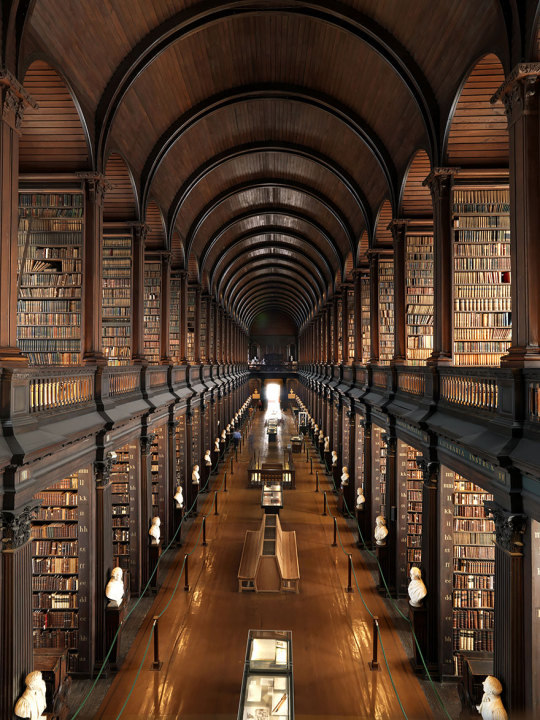
There is an essence of timelessness when it comes to libraries and books. Even with the modern marvels of human technology, e-books, audio books, libraries have still preserved the atmosphere of exercising and feeding the human mind with rich text and pages of storytelling. These great feats of architecture we have featured below are the integration of great design and the age old love of ancient yellow pages that have the history of the world etched in them.
The priceless treasure trove of great minds, dreamers and scholars are documented in these buildings which have been designed and built with great care in order to make them stand forever as a monument over these articles of importance like no other.
The libraries below have become an enduring tribute to impeccable design; the best décor and space construction, and art are ingrained into the floors and ceilings and wood panelling. Some of these studies have been built to attract not only readers eager to ponder over pages of food for thought, but to keep the spirit of young minds eager to see the enchanting presence of a library no digital book can recreate.
When that unique smell of worn out books, dust mingled with sunny afternoons wafts through the stone cracks of these majestic structures, people once again are transported back to the classic charm of an intimate moment spent with a satisfying story in the solitude of a hall crammed with books to the ceiling.
The National Library Of Prague, Prague, Czech Republic
Biblioteca Real Gabinete Portugues De Leitura, Rio De Janeiro, Brazil
The Admont Library, Admont, Austria
George Peabody Library, Baltimore, Maryland, Usa
St. Florian Monastery, Austria
Bibliothèque Nationale De France, Paris, France
Handelingenkamer Tweede Kamer Der Staten-generaal Den Haag Iii, Netherlands
Austrian National Library, Vienna, Austria
Biblioteca Joanina, Coimbra, Portuga
The City Libary, Stuttgart, Germany
The Iowa State Law Library, Iowa, USA
The Oberlausitzische Library Of Science, Gorlitz, Germany
Beinecke Rare Book & Manuscript Library, Yale University, Connecticut, USA
The Old Public Library Of Cincinnati, Ohio, USA
Bibliothèque Sainte Geneviève, Paris, France
New York Public Library
Walker Library, Minneapolis, Minnesota, USA
Vennesla Library, Vennesla, Norway
Bibliothèque Mazarine, Paris, France
St John’s College Library, Cambridge, UK
The Library Of Congress, Washington, D.C., USA
Technical University “gheorghe Asachi” Library, Iasi, Romania
The Great Library Of The Reformed Church College Of Sarospatak – Sarospatak, Hungary
So, pretty frequently writers screw up when they write about injuries. People are clonked over the head, pass out for hours, and wake up with just a headache… Eragon breaks his wrist and it’s just fine within days… Wounds heal with nary a scar, ever…
I’m aiming to fix that.
Here are over 100 links covering just about every facet of traumatic injuries (physical, psychological, long-term), focusing mainly on burns, concussions, fractures, and lacerations. Now you can beat up your characters properly!
Wound assessment: A huge amount of information, including what the color of the flesh indicates, different kinds of things that ooze from a wound, and so much more.
Location pain chart: Originally intended for tattoo pain, but pretty accurate for cuts
General note: Deeper=more serious. Elevate wounded limb so that gravity draws blood towards heart. Scalp wounds also bleed a lot but tend to be superficial. If it’s dirty, risk infection. If it hits the digestive system and you don’t die immediately, infection’ll probably kill you. Don’t forget the possibility of tetanus! If a wound is positioned such that movement would cause the wound to gape open (i.e. horizontally across the knee) it’s harder to keep it closed and may take longer for it to heal.
General notes: If it’s a compound fracture (bone poking through) good luck fixing it on your own. If the bone is in multiple pieces, surgery is necessary to fix it–probably can’t reduce (“set”) it from the outside. Older people heal more slowly. It’s possible for bones to “heal” crooked and cause long-term problems and joint pain. Consider damage to nearby nerves, muscle, and blood vessels.
General notes: If you pass out, even for a few seconds, it’s serious. If you have multiple concussions over a lifetime, they will be progressively more serious. Symptoms can linger for a long time.
Dislocations: Symptoms 1, 2; treatment. General notes: Repeated dislocations of same joint may lead to permanent tissue damage and may cause or be symptomatic of weakened ligaments. Docs recommend against trying to reduce (put back) dislocated joint on your own, though information about how to do it is easily found online.
Whether you are writing a futuristic dystopia or a cloud city of dragons, you need to figure out how people get basic supplies. These are often the most overlooked worldbuilding questions since it’s more fun to think about how cultures honor the dead or where the mountain ranges are, but answers are necessary to create a complete world.
-Where does the water come from and how is it distributed?
-Who makes the food?
-Who transports and distributes the food?
-If your world has modern utilities, are they widespread or only for the rich? For that matter, do utilities have to be modified to work in your world (for example, electric lines with anti-magic coating)?
-What happens to trash?
-What happens to sewage?
-What building materials are available?
-What do people do when they get sick?
-What do people do in the case of a natural disaster?
-What do people do in the case of a fire?
-How are large objects moved?
-How are items that take skilled labor to make created and distributed?
Remember, the answers might be different for people at different economic levels.
Hey guys! I know a lot of people are having issues when it comes to the dashboard/follow/etc buttons not showing on themes. It’s usually the themes that are made by other tumblr users.
I am here to show you how to fix that! Also, reblog to save a life.
Are you creating a fictional language? Do you need help coming up with words that sound like they fit with what you’ve come up with so far?
Just put your fictional language in the model text, type some words in the translation text, and click “translate”. It’ll “translate” whatever words you put in using patterns from your sample text.
This can create a random calendar for you or you can input the year, the number of months, the name of the months, the number of moons, the number of days in a week, the names of each day, and more.
You can even save the data for your calendar so that when you go back to the generator, all you have to do to get to your calendar is paste the data.
This is a new resource that’s still in beta, so it’ll probably be updated in the coming months.
This map maker is easy to use and free. You can add different climates, mountains, trees, towns, cities, text, and notes. For an example of these maps, look at the quick map I made for this post’s header.




 AllHailMephlis' Blog