If you click on this, immediately change your password. I clicked on it bc I didn’t think and it logs you out so it can capture your data when you log back in.
IF I SEND YOU THIS LINK PLEASE DONT OPEN IT!
OK HONESTLY THANK GOD I REBLOGGED THIS BECAUSE I JUST GOT ONE AND IF I HADN’T REBLOGGED THIS I PROBABLY WOULD HAVE CLICKED IT
Yeah so. I clicked on it, immediately changed password thanks to reading this. Be safe guys.
I know this isn’t a meme. But just so you guys know.
There’s been a lot of posts going around lately about Paypal and their policy on fees, and I’ve seen a lot of people suggesting you move to invoices. What you might not realise unless you have a closer look at these payments once you receive them, is that Paypal is expecting you to ship an item. This remains the same regardless of whether you use the default form, the ‘services’ form and charge by the hour, and whether you put 0.00 in the postage section.
After a call to customer service this morning, I have confirmed there is actually no option on invoices for a seller to indicate that postage is not required if you are invoicing from the main paypal website (ie. you don’t do paypal checkout through your website, there may be a work around if you have a purchase button on your website, which isn’t entirely practical for commissions as prices can often vary and most do payments through the site directly). This means that if you don’t provide shipping / tracking information on that payment, Paypal may freeze the funds and/or your account.
Apparently the way to avoid this is to include in the notes section of the invoice that the invoice is for goods and services, and that no shipping is required.
They also said that the buyer should indicate in the notes when they pay that they have received the goods/service, however this is going to cause issues with commissions as most are either paid upfront or partway through.
If anyone has any further solution to this, reblog and or message me, but otherwise this has been a PSA about Paypal invoicing. Seller beware.
Guys the struggle is real and I am learning this now. Make sure you write that your goods are digital in your invoices so your account does not freeze.
The way I manage my invoices isn’t just to specify under the note,
But also to choose this option when the payment has been sent and the commission has been completed
So it can be counted as complete.
Seriously guys spread this, we all know invoices are safer but honestly I didn’t know about this really important step. This needs more notes
ATTENTION ANYONE THAT HAS A 3DS/2DS & ANIMATES IN 2D
If you have created a “My Nintendo” account, Nintendo’s new rewards website, you can download “Flipnote Studio 3D” for FREE until April 30th, 2016! Animate or even plan animations on the go! 😀 You can even export your animations as an AVI or GIF file!!
Spread the word!
To sign up for a “My Nintendo” account, just go to my.Nintendo.com 🙂
There were a few reasons I instated this policy. However, after talking to a lawyer, it seems like allowing certain things won’t really hurt Temmie or Fangamer (my friends). So things will become more lenient.
Now, I won’t stop individual fans from selling the following items at cons:
– Prints, charms, buttons, keychains, stickers, etc. – Most handmade items – Undertale zines/fanbooks/doujinshi – Musical albums/CDs that contain UNDERTALE remixes as <=30% of tracks. (Still figuring out full albums…)
However, restrictions exist:
– You cannot use the UNDERTALE logo or put the name UNDERTALE on it, as it is trademarked. (Weird, right!?) – No t-shirts, apparel/clothing,* or machine-made figures or machine-made plushes. – Do not sell merch via Redbubble, zazzle, or other large online store. – No, you still can’t do Kickstarters or crowdfunding campaigns for UT-related things. – If you’re a company (like Sharkrobot or Hot Topic or something) you cannot sell UNDERTALE merch of ANY kind. – Do not compete with official merch & acknowledge my copyright. If necessary, I can halt any unofficial item’s sale. (Really don’t want to ^^;;) – If this change turns out to be actually bad, I can reverse the decision. – If you sell, please have played the game.
* Exception: if someone hand-made a few scarves, hats, cosplay, or accessories, it’d probably be OK. But if mass-produced, it could become a problem.
When in doubt, if hand-made and few, it’s OK. If mass-produced and machine/factory made, it’s not OK.
PS – One-off art commissions of UT characters are still OK, online or offline.
PPS – If engaging in UNDERTALE activities at a con (selling, cosplaying, etc.), try to be respectful and give a good impression. Overall, UNDERTALE’s had a positive effect on people who have played it. It’d be nice if it could have a positive effect on the rest of the world, too.
Krita is a painting program that has been around for a while, and in the last few years, underwent major changes and improvements. Because of these improvements, many artists are using it not just because it is free, but because it offers amazing features. These are by no means all of the great things Krita has to offer, but simply some of my favorite features of the program.
1. The Brush Engines.
Yes, engines. As in plural. There are many. And they all do different things. There is no way you could possibly capture all of its possibilities with one screen shot, but here are just some of the possibilities. Along side standard round, square, and shape, and textured brushes, there are brushes that smear, blend, and create interesting abstract strokes. There are brushes for filters, and one of my favorites, the Experiment Brush, which is basically a pre-filled lasso tool.
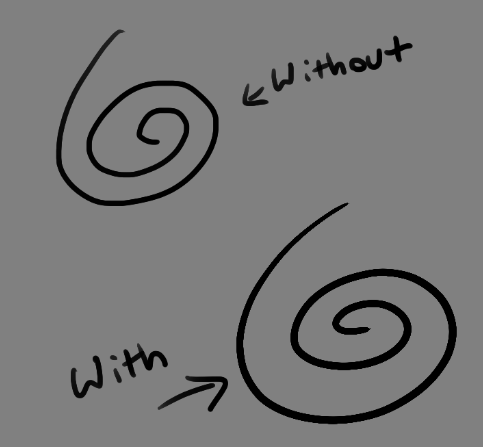
Brushes also support weighted smoothing, or brush stabilizers.
This is incredibly useful for line art. And while I do not usually use this feature, it is something that I feel many programs are lacking, such as Photoshop.
But its brushes aren’t the only thing about Krita with variety.
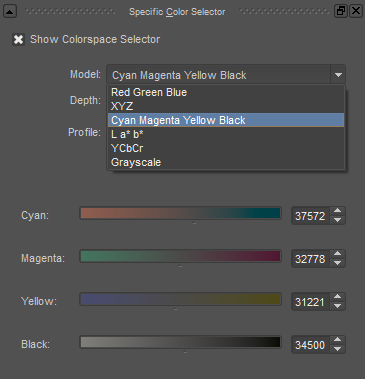
2. Color Selector Customization.
Whether you prefer something basic, or something more complicated, Krita will likely have what youre looking for. You are not likely to find yourself missing your other program’s color wheels. There are even more options than this, and other color selectors.
Gotta love that customization.
Krita also has some great naviation tools.
3. On the fly rotation, zoom, and brush sizing.
With krita, zooming, rotating, and brush size scaling are all smooth, and dynamic with the use of hot keys. These are features I miss when in other programs. To zoom, Ctrl+Middle mouse button, hover over the screen to zoom in and out. The same with shift rotates (press the ‘5’ key to reset rotation). Holding down shift and draging your brush on the canvas dynamically changes its size, allowing you to see the change, and get the exact size you want without brackets. Brackets also work, if that’s what you are used to. Krita also has highly customizable hot keys.
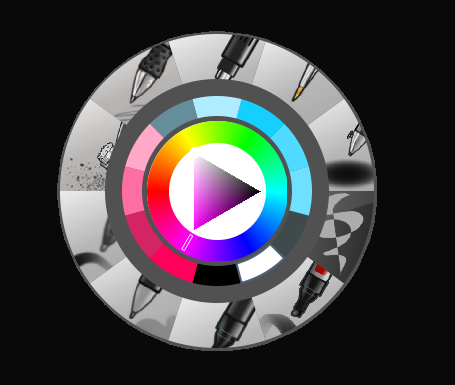
4. The Pop Up Pallet
The pop up pallet is a set of your 10 favorite brushes (which you can edit), and a built in color wheel that appears when you right click on the canvas. It is incredibly useful for switching between those few brushes that you use in almost every picture.
5. Real time, seamless tiles creation.
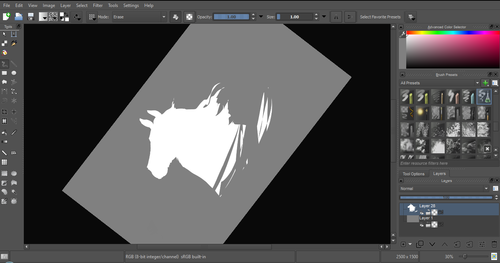
Pressing the W key in Krita will infinitely tile your canvas, and allow you to work real time on simple to complex tiled images. You can zoom in and out to see how your tiles work form a distance, and paint freely to create seamless artwork easily, without having to check using filters and manually tiling. Very usefull for patterns, backgrounds, and games.
6. The Symmetry Tool
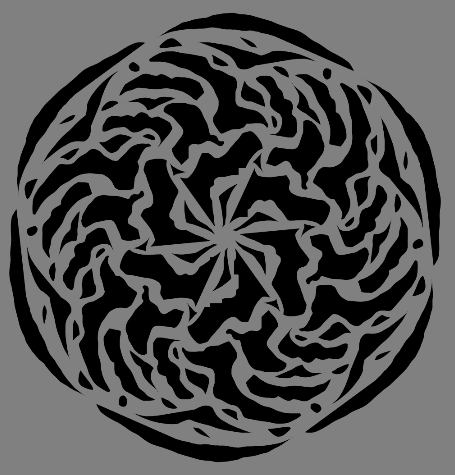
This one goes without saying, Krita supports both horizontal and vertical symmetry, along with a brush that is capable of radial symmtry with as many directions as you like.
Go nuts, kid.
There are many more reasons why this program is awesome. And it is only going to get more awesome. And the coolest thing about it, is that it is 100% free. So go check it out! There’s nothing to lose. Krita isn’t for everyone, it can be hard to get the hang of, and it is not meant for photo editing, it is a program completely focused on digital painting from start to finish.
Give it a go and see if Krita is the program for you.